
Payout Methods
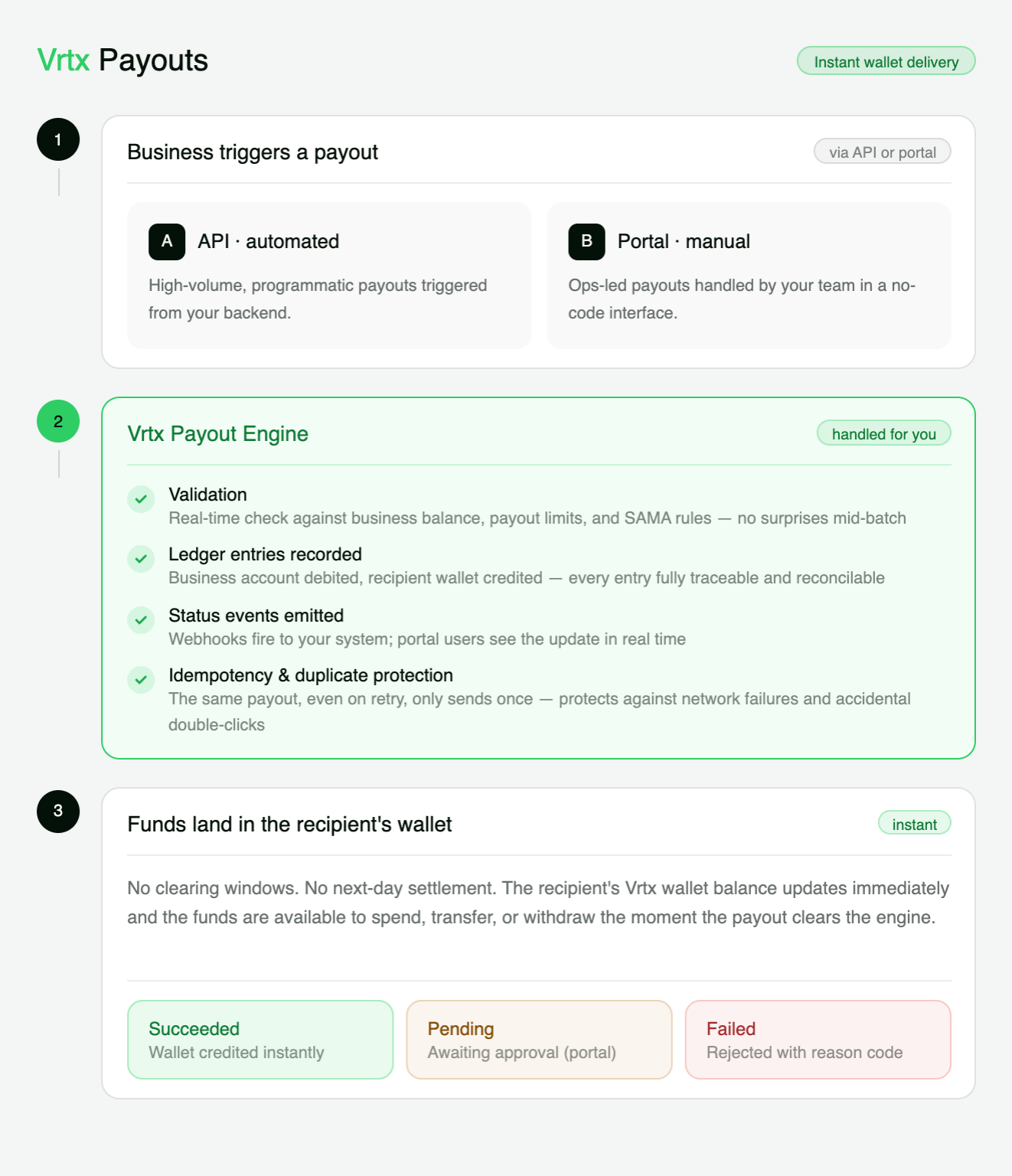
Vrtx supports two ways to create payouts:
- API payouts — for automated payouts triggered by your system.
- Business Portal payouts — for manual payouts created or reviewed by your team.
Choosing a payout method
API payouts are best for scale and automation. Business Portal payouts are best for exceptions, manual operations, and approval-based workflows.
API Payouts
Use API payouts when payouts are part of your product or backend workflow.
From the API, you can trigger:
- Single payout — create one payout to one beneficiary.
- Bulk payout — create multiple payouts in one request or batch flow.
For example, your system may create a payout when:
- A driver completes an approved earning cycle
- A merchant settlement is ready
- A refund is approved by your backend
- A reward or incentive campaign is processed
API payouts are designed for repeatable, system-driven flows where accuracy, reconciliation, and status tracking are important.
Key API Features
Idempotency
Prevent duplicate payouts when retrying a request after a timeout, network issue, or temporary disruption.
Webhook Events
Receive payout status updates in real time so your system can track processing, success, or failure.
Reference Mapping
Attach your own internal references to match payouts with users, orders, invoices, or settlement records.
Best for automated money movement
Use API payouts when payouts are generated by your product, backend system, or scheduled financial workflow.
Business Portal Payouts
Use Business Portal payouts when a payout needs to be created, reviewed, or approved by an authorized team member.
This is useful for operational cases such as:
- One-time customer compensation
- Exception payouts
- Finance-reviewed payouts
The Business Portal is designed for controlled manual operations where visibility, permissions, and auditability matter.
Key Portal Features
Manual Payouts
Create one-time payouts for support, finance, or operational cases.
Team Workflows
Control who can create, review, approve, or manage payouts through roles and permissions.
Payout Reports
Export payout records for reconciliation, finance review, and audit support.
API vs Business Portal
| Method | Best For | Created By | Use When |
|---|---|---|---|
| API | Single and bulk automated payouts | Your backend system | Payouts are triggered by product logic, schedules, or backend approvals |
| Business Portal | Manual payouts | Authorized portal users | Payouts need human review, approval, or exception handling |