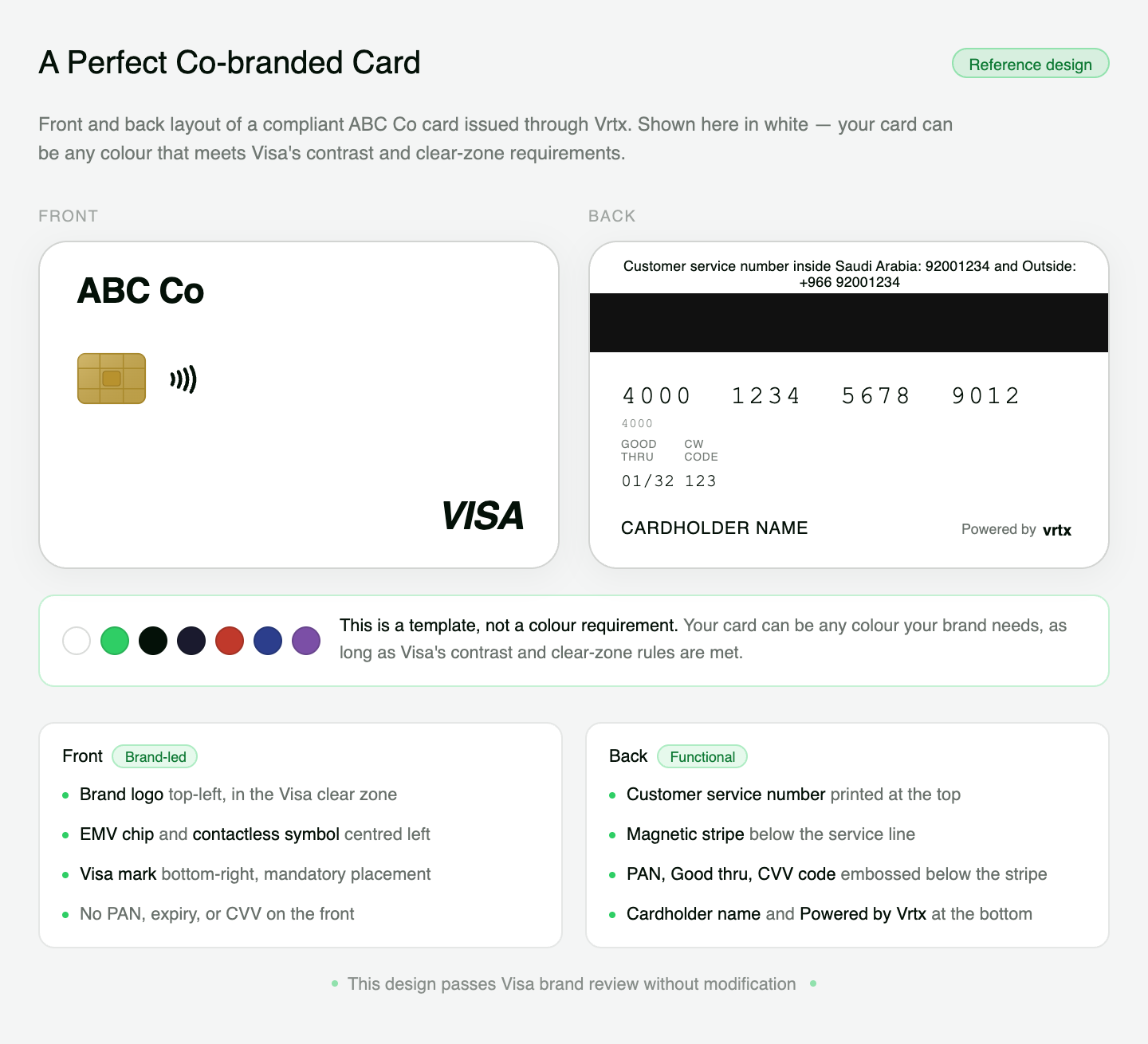
Card Design Guidelines
Before issuing a card, the card design must be reviewed and approved. Vrtx supports both virtual and physical Visa cards, giving clients flexibility to deliver branded payment experiences while staying compliant with Visa and Vrtx requirements.
Design approval required
All card designs must comply with Visa network guidelines and pass Vrtx compliance review before production issuance.
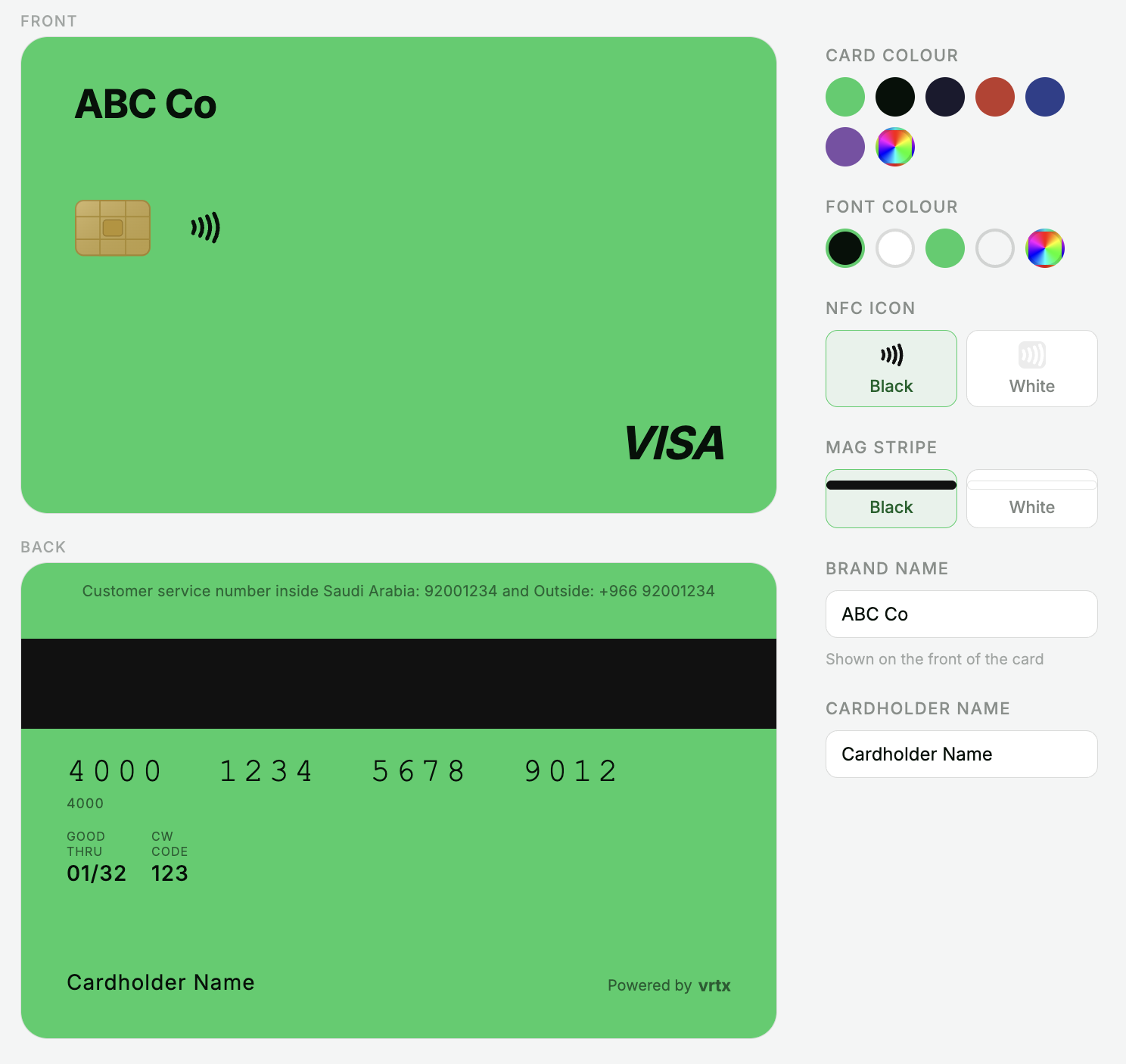
Card Types
Virtual Cards
Fully digital cards used for online purchases, immediate transactions, and digital wallet experiences.
Physical Cards
Printed cards used for in-person payments and ATM or POS transactions, where supported.
Design Review Process
Prepare Design
Create the proposed card design using the required card elements and approved brand assets.
Check Visa Rules
Ensure the design follows Visa brand placement, visibility, and card layout requirements.
Submit to Vrtx
Share the proposed design with Vrtx for review before production.
Receive Approval
Only approved designs can be used for card issuance.
Visa Design Requirements
When issuing a card, the following elements must be included and displayed clearly.
| Element | Requirement |
|---|---|
| Visa Brand Mark | Must appear as Visa and be positioned according to Visa branding standards |
| Cardholder Name | Should show the legal cardholder name or authorized business name |
| PAN | The 16-digit Primary Account Number must be visible where required |
| CVC / CVV | The 3-digit security code must be shown where required for online transactions |
| Expiration Date | Must be displayed in MM/YY format |
Virtual card visibility
For virtual cards, sensitive card details such as PAN, CVC/CVV, and expiration date should be displayed only in approved and secure card detail views.
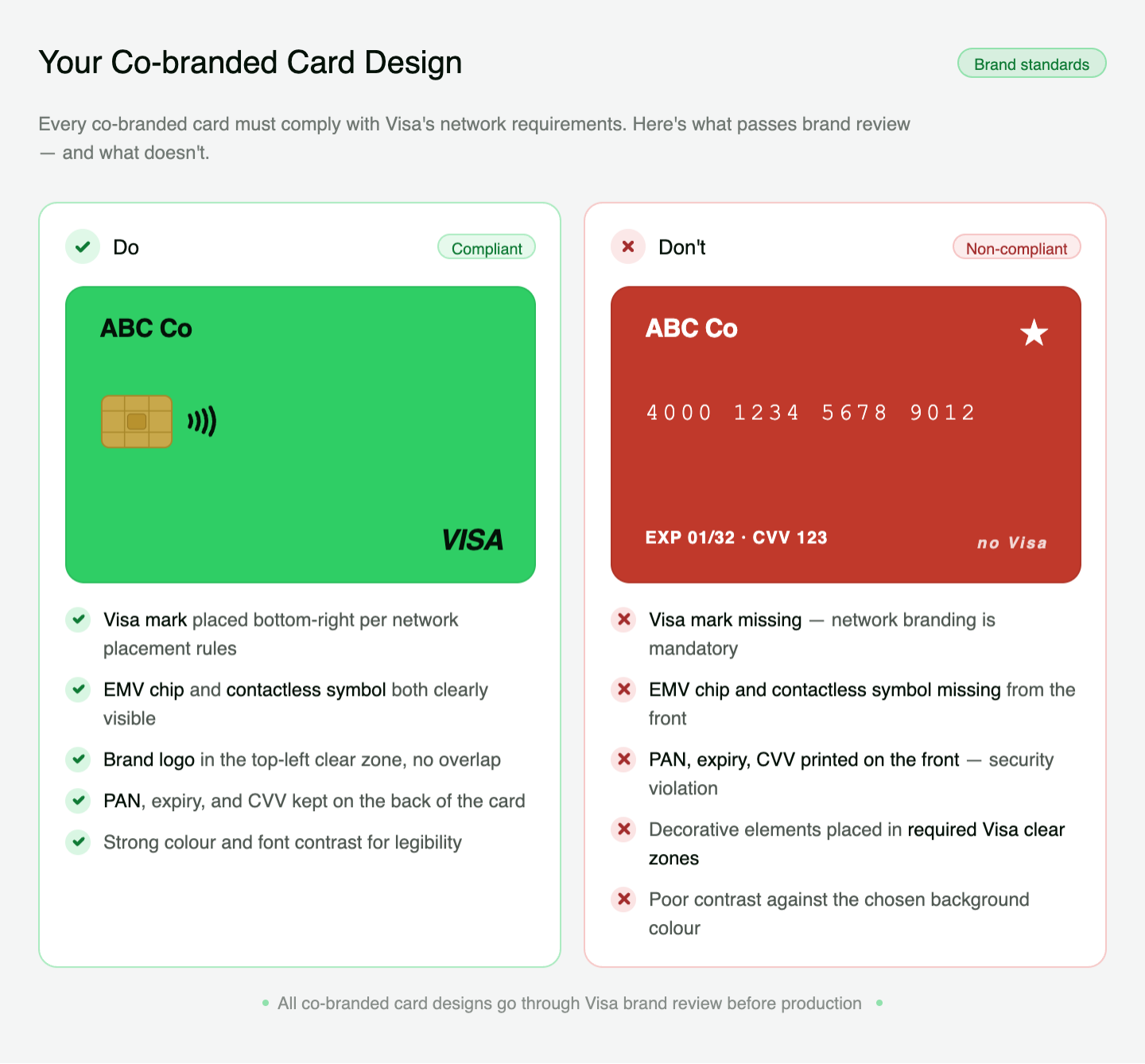
Design Quality Guidelines
A compliant card design should be clear, readable, and consistent with approved brand usage.
Clear Layout
Card details should be easy to read and should not conflict with background artwork or brand elements.
Approved Branding
Client branding must not interfere with required Visa branding or mandatory card details.
Readable Card Details
PAN, expiration date, CVC/CVV, and cardholder name must remain legible where displayed.
Secure Presentation
Sensitive card details should only appear in approved and secure card views.
Example Co-branded Card